Tutorials
Simple entity search
Searching using BMSE is intuitive, as is the use of most commercial search engines. For example, we are looking for the mathematical equation for the concentration of glyceraldehyde-3-phosphate (GAP) in Astrocytes. Queries can use the term directly and do not need to worry about misspellings because BMSE considers the context of other syllables in the query. A synonym can also be used, for example, using triose phosphate instead of glyceraldehyde-3-phosphate. A good query requires the completeness of the terms needed to find the desired information. Here are the search steps:
Open website: https://search.bm-se.cloud.edu.au/

Type query, for example concentration of triose phosphate in astrocyte, then press Enter. Here, we use triose phosphate, a synonym for glyceraldehyde-3-phosphate.
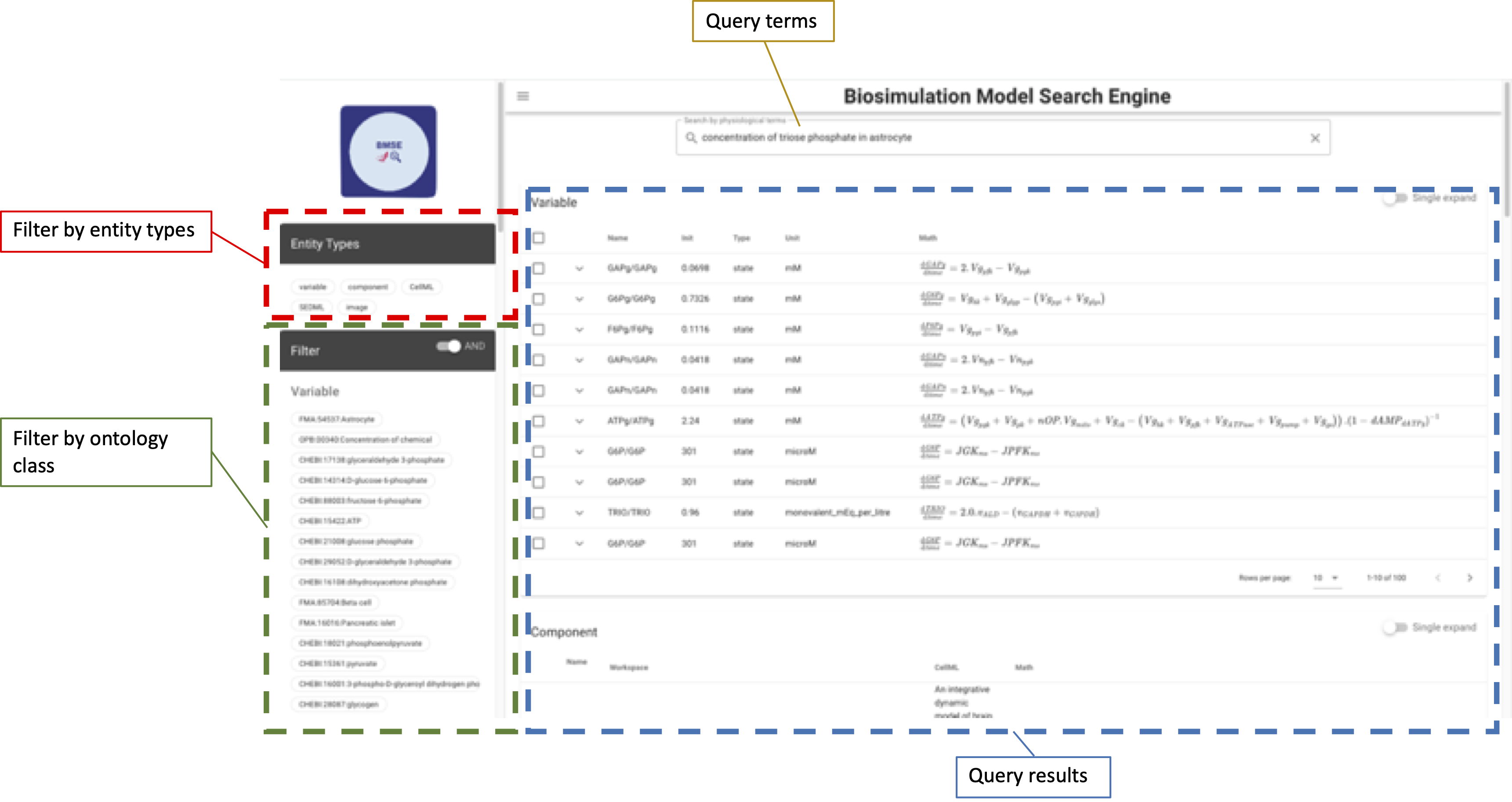
The search results are divided into two parts, on the left are filters to restrict results, and on the right are query results for all types of entities, i.e. variables, components, CellML, SEDML, and images.
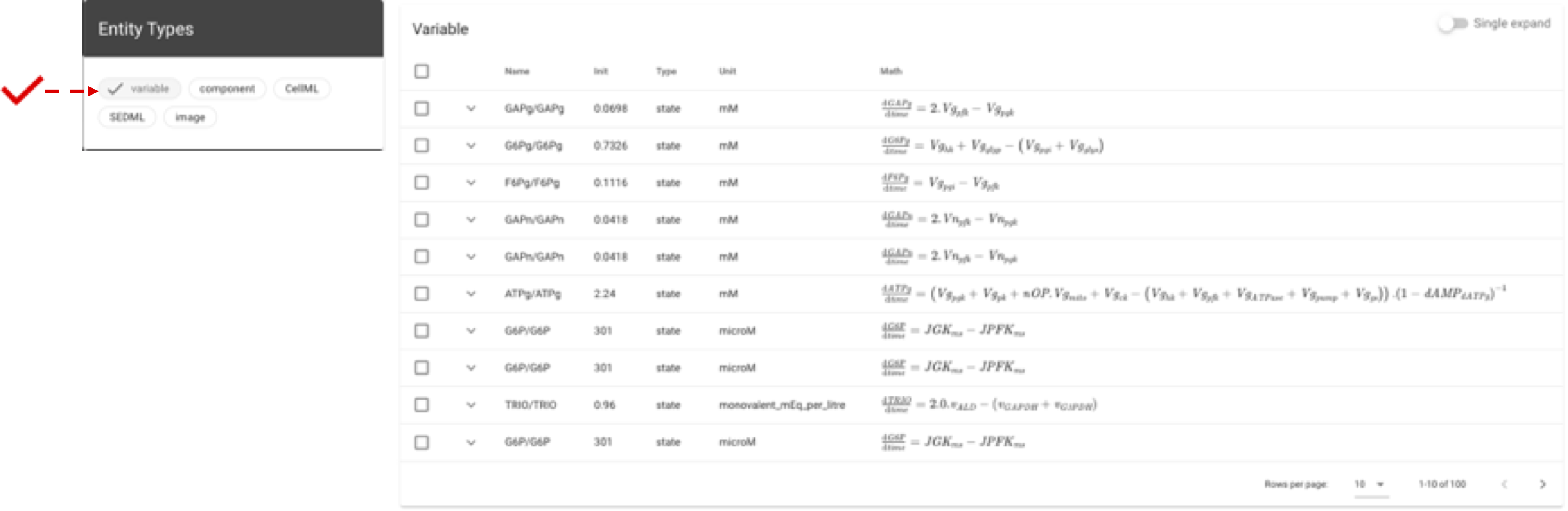
Since we are interested in a mathematical equation, the appropriate entity is a variable or component. Suppose we are more interested in variables; the view can be filtered by variable.
Moreover, the list can be filtered further based on the ontology class, which will limit the presented variables.
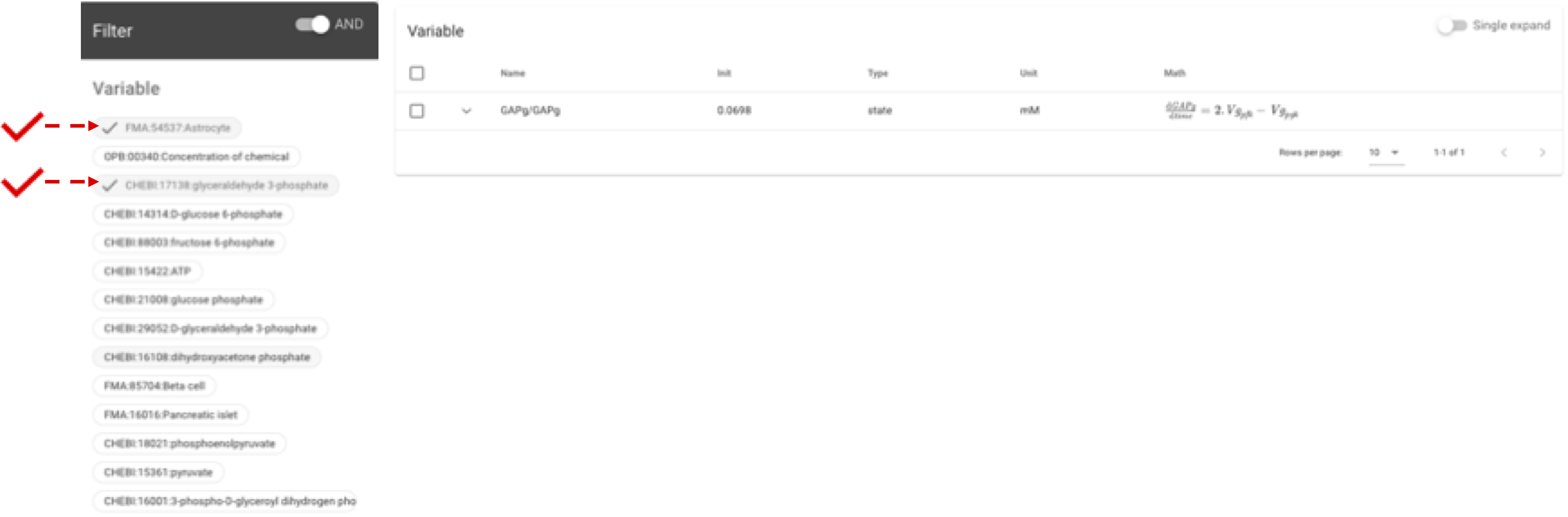
In this case, we get one variable that best matches our search for a mathematical equation.
Expanding the variable may be helpful to find out the associated images, ontology classes, workspaces, CellML files, or exposures.

In addition, we can find out the model of that variable. In this case, the model relates to brain energy by Cloutier et al. [CBLW09].
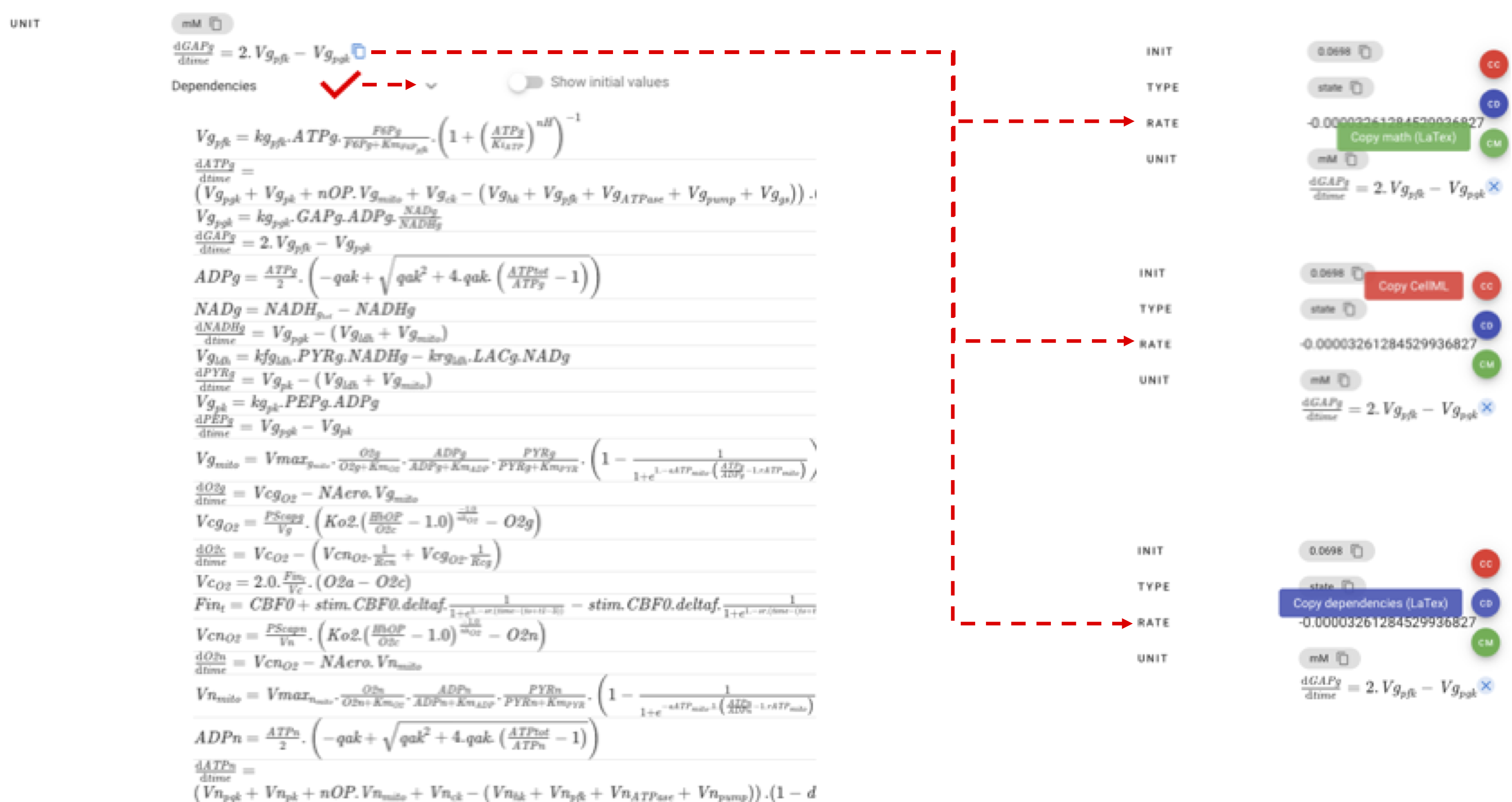
A more detailed variable description is obtained by selecting the variable and pressing the Detail/Compare button.

Furthermore, it can be followed by further activities, such as viewing reference equations and copying them to latex and CellML formats.
Variabel comparison
A search with a less specific query, say sodium channel voltage, will return variables from several models. Even though the mathematical equations of these variables are similar, the initial values and other supporting equations can differ. These differences are related to different species or different experimental designs. BMSE facilitates variable comparison by presenting detail information regarding the selected vatiables
Here is the results of sodium channel voltage query:
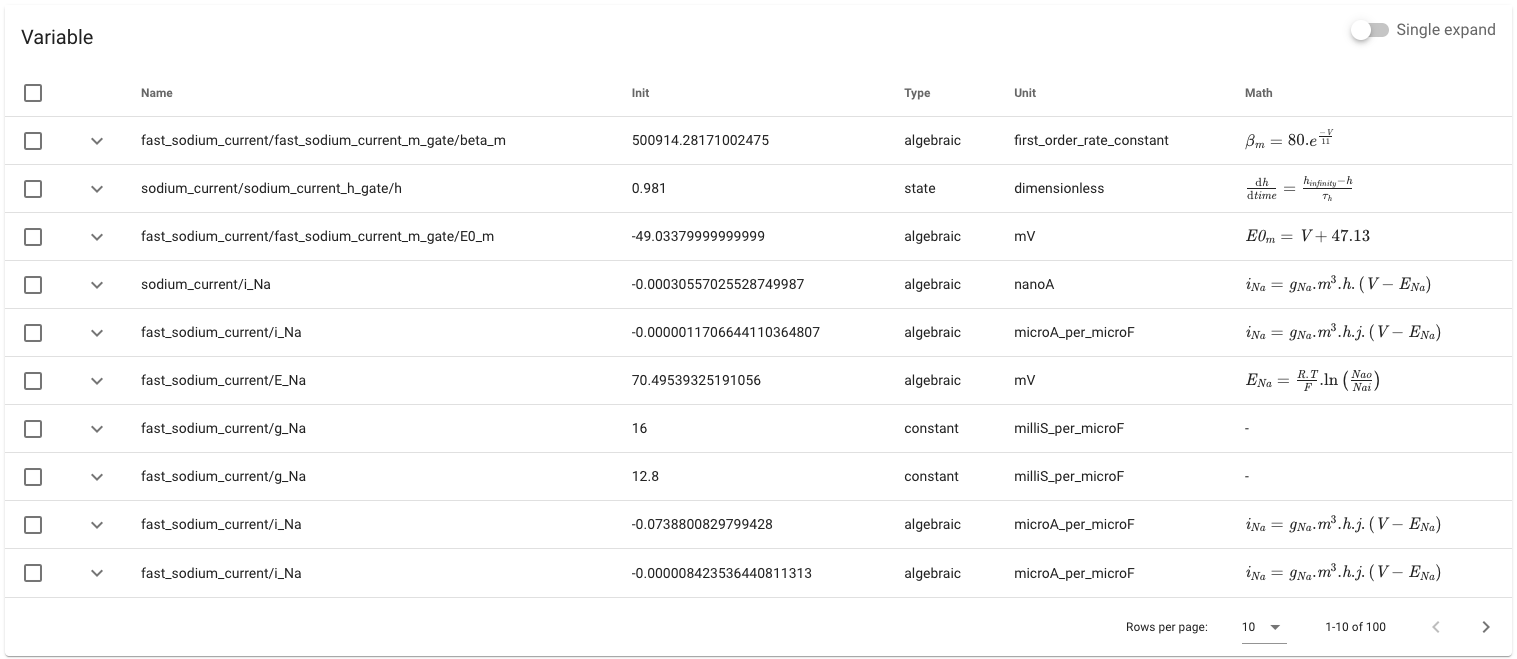
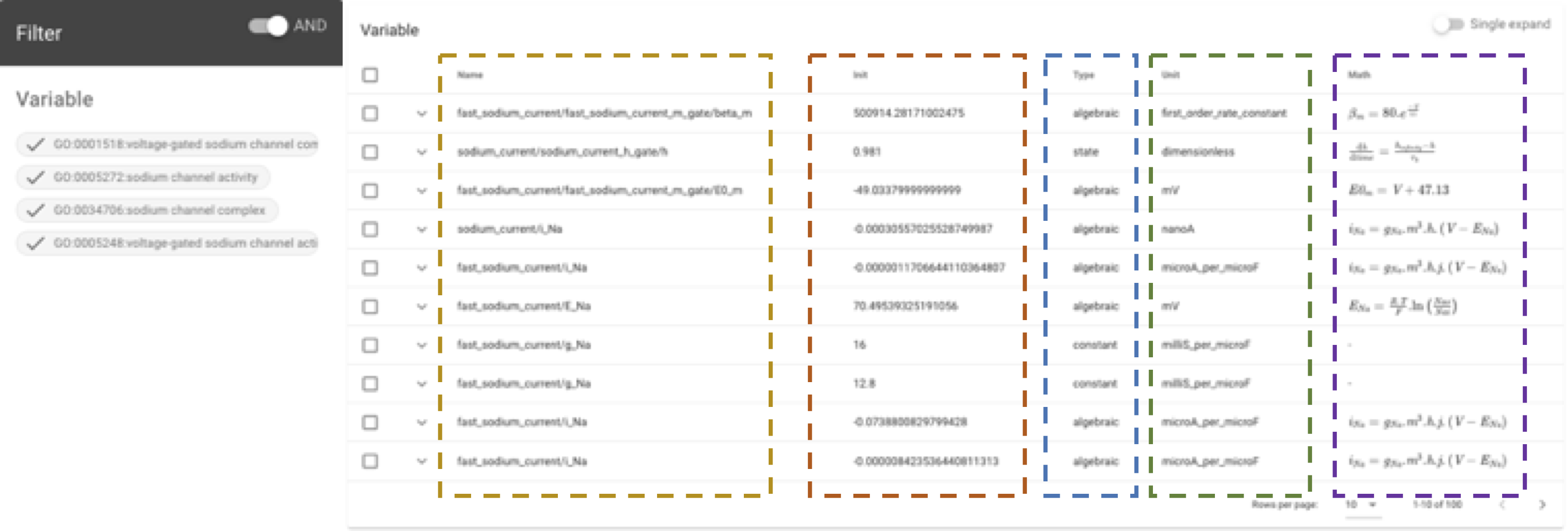
Filtering the results using ontology classes does not always reduce the choice, for example, when all variables are annotated similarly. Then, the selection can be made by paying attention to the variable type, name, initial value and mathematical equation.
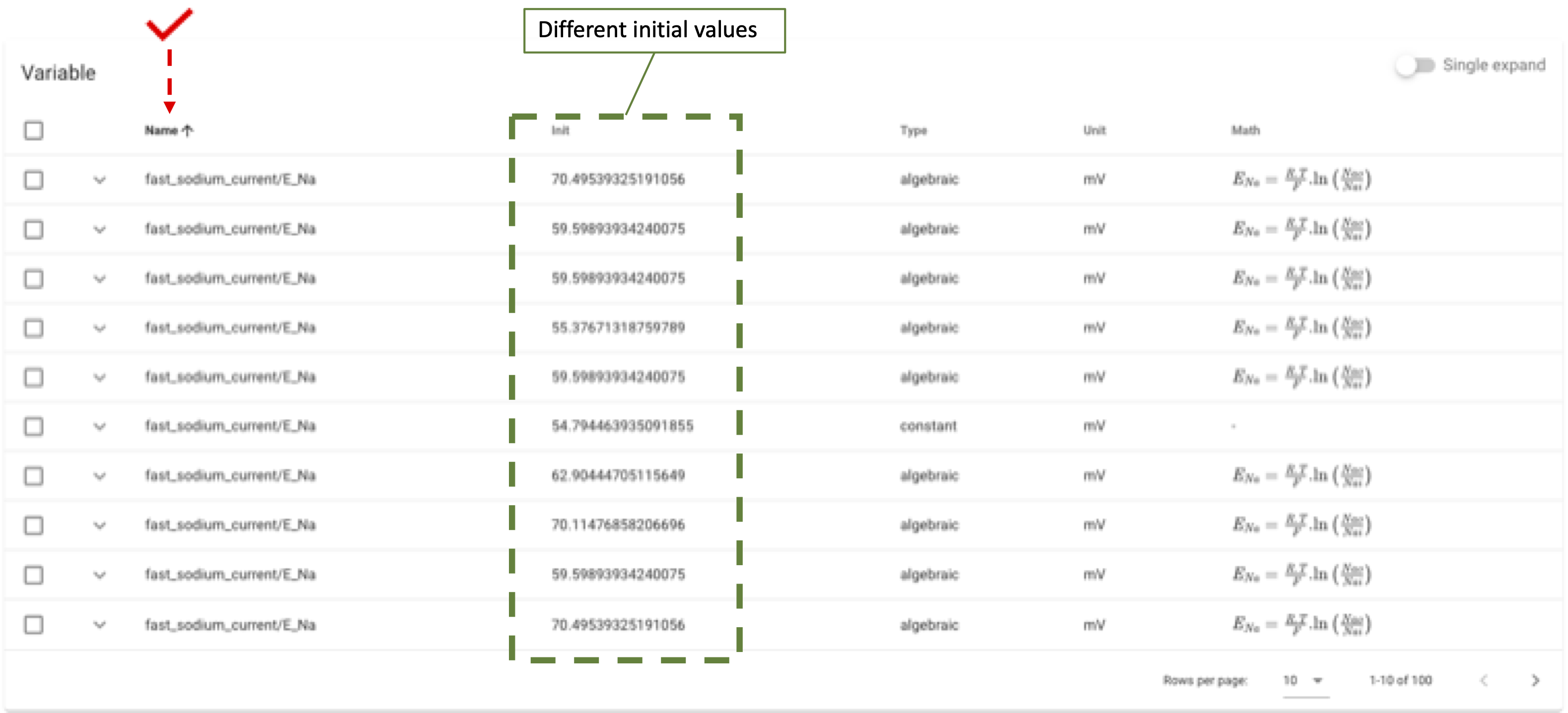
Another step is to sort, for example, by name to get variables with the same name, type, unit, and mathematical equation differing in initial values.
After sorting, some variables can be expanded, for example: \(fast\_sodium\_current/E_{Na}\).

Or compared
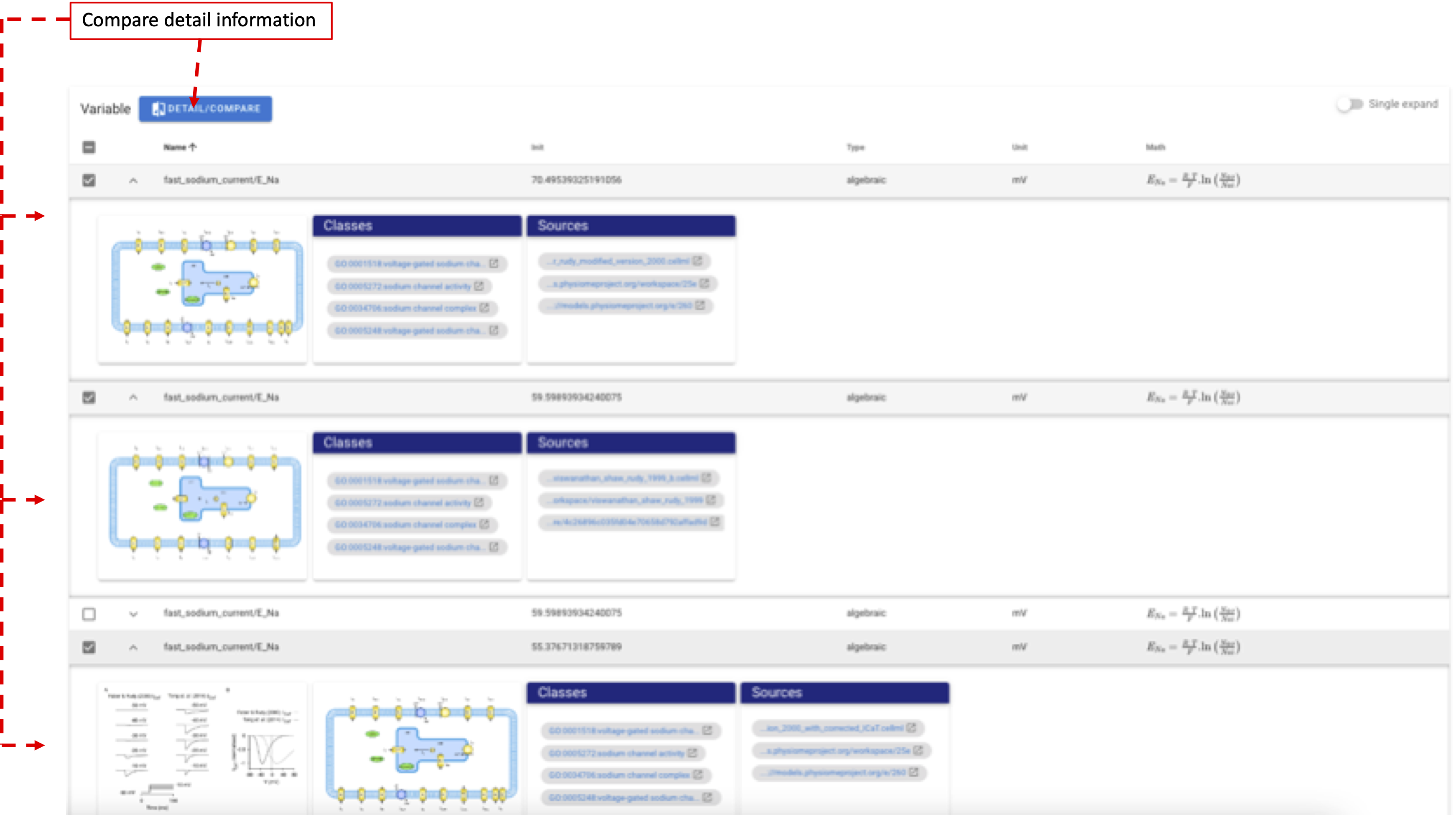
Example of a comparison display of 4 variables:
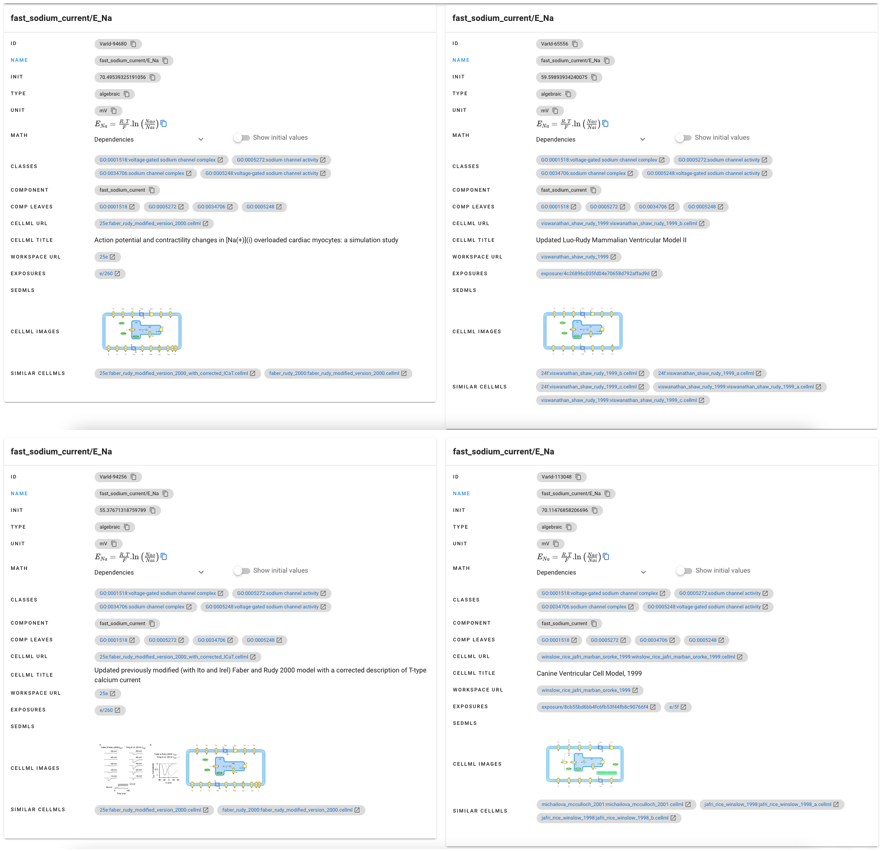
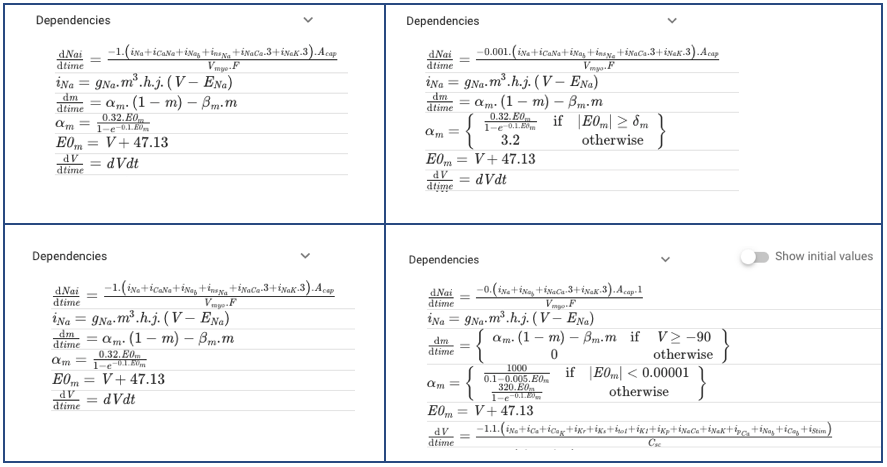
Some sections that may be helpful for comparison:
Mathematical equation dependencies:
Source models, workspaces, exposures, and articles:
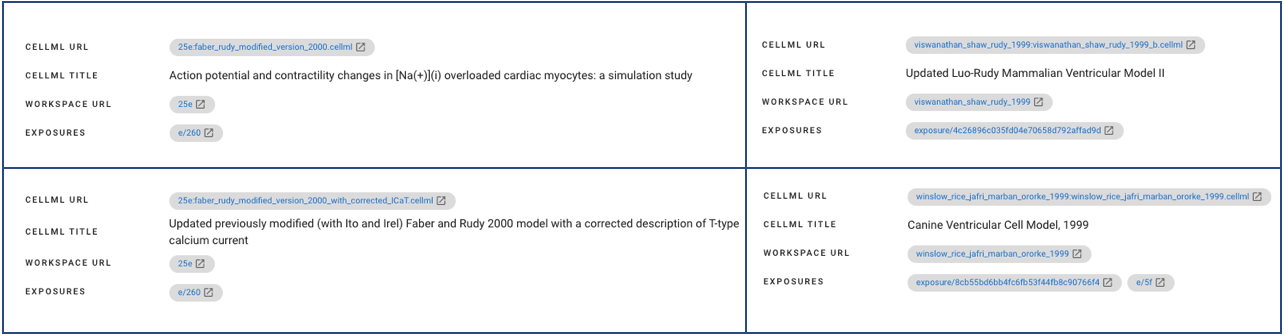
Faber and Rudy [FR00] Viswanathan et al. [VSR99] Winslow et al. [WRJ+99]
Comparing these sections is very helpful for selecting the \(fast\_sodium\_current/E_{Na}\) variable, for example, the one using Guinea Pig [FR00, VSR99] or Canine Tachycardia-Induced Heart Failure [WRJ+99] as experimental animals.